Define custom roles using a visual builder
Published: July 29, 2026
This is a paid feature
This feature is available on certain Enterprise plans. Talk to sales to learn more.
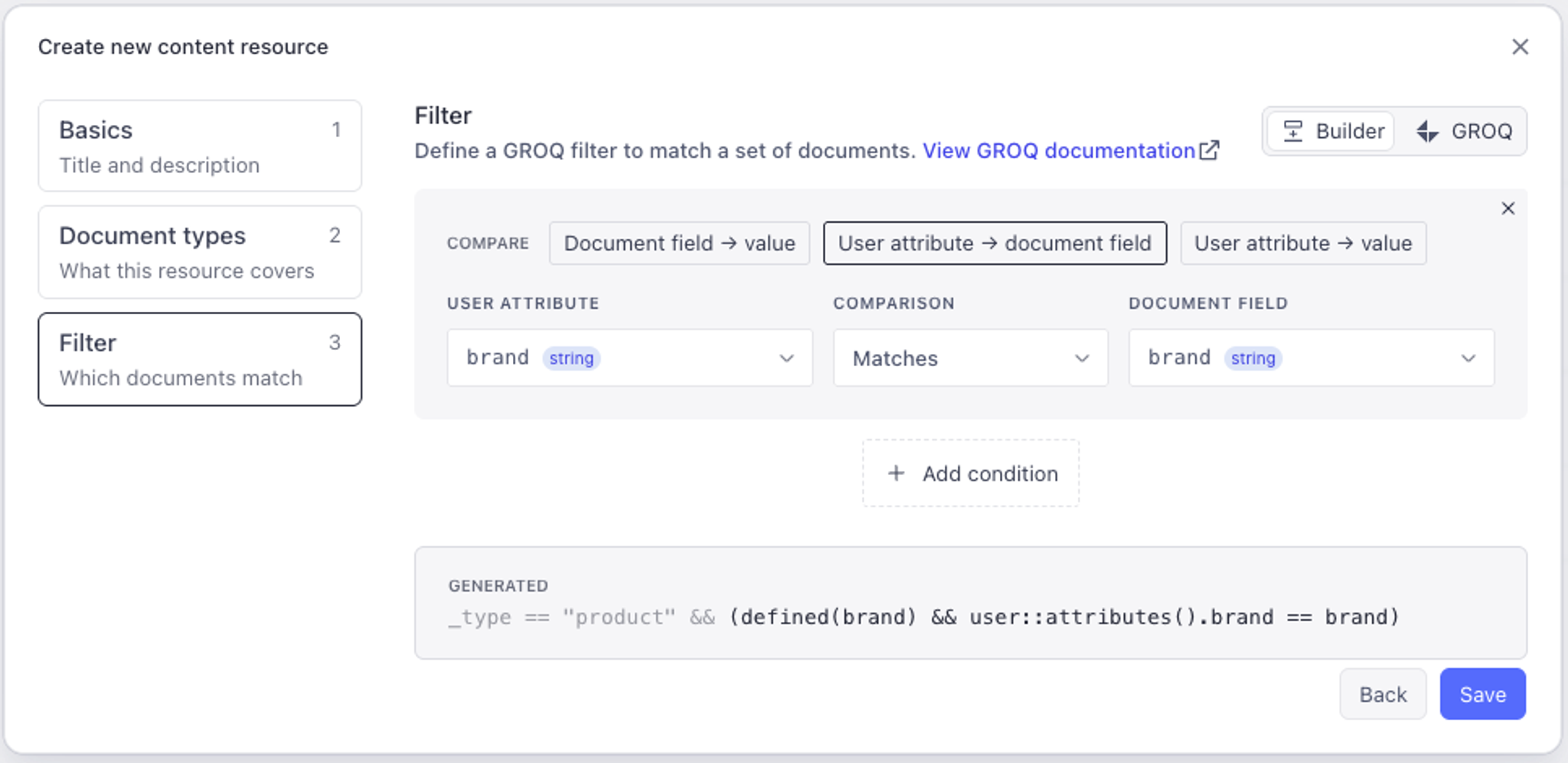
Content Resources define the set of documents a custom role grants access to. Now when defining a content resource, a visual builder will autogenerate the necessary GROQ filter based on your deployed schema.
The visual builder takes you through three steps:
- Set the name and description for this resource
- Select which document types to match
- Create filter conditions to match specific documents
When creating a filter, each condition can compare the value of different document fields. Select User attribute —> document field to build a filter that dynamically matches documents based on the attributes of users who get assigned this role.
Protip
If you don’t see the document type you’re looking for (or you’re not given the option to select any document types), then you need to deploy your studio schema first.