Quick start: connect an agent to Sanity Context
Serve a Sanity dataset from a Context MCP endpoint and ask it a question with a TypeScript script.
Sanity Context can serve the content in a Sanity dataset to AI agents. The agent reads your schema and queries your documents with GROQ, so its answers come from the records you already keep in Sanity.
This quick start is for Sanity users with content in a dataset: you deploy your Studio, serve the dataset from an MCP endpoint, and ask it a question with a TypeScript script. If your content isn't in Sanity yet, start with Quick start: build a Knowledge Base and ask it a question, which needs no Studio or dataset.
Prefer to let a coding agent do it?
The Sanity Context skills can run this setup for you. From your project directory, install them with npx skills add sanity-io/context --all, then ask your coding agent to use the create-agent-with-sanity-context skill.
Prerequisites
- A Sanity organization with access to Context, and the Administrator or Developer role in it. Creating MCP endpoints requires one of these roles. See Context plans and limits.
- A Sanity project with content in a dataset, and the Administrator or Developer role on that project with unrestricted read access to the dataset.
- A Studio for that project on v5.1.0 or later, which you can deploy to Sanity. An endpoint with a dataset source only serves datasets that have a deployed Studio.
- Access to create an organization API token in Manage. You'll create a token later in this guide.
- Node.js 22.18 or later. These versions run TypeScript files directly, so the example needs no build step.
- An Anthropic API key for the model that answers questions. Any model provider the AI SDK supports works if you swap the provider package and model.
Deploy the Studio
An MCP endpoint with a dataset source reads your schema from Sanity, not from your machine. It doesn't serve until the dataset has a deployed Studio on v5.1.0 or later. The agent reads an overview of the deployed schema before it queries your documents.
From your Studio's directory, run:
npx sanity@latest deploypnpm dlx sanity@latest deploy
yarn dlx sanity@latest deploy
bunx sanity@latest deployIf your Studio is already deployed and up to date, skip this. If it lives in another repository, deploy from there. You check the result in Create an MCP endpoint.
Create an MCP endpoint
Agents don't read a dataset directly. They connect to an MCP endpoint: a hosted URL that serves your content to any MCP client.
You create the endpoint with the Sanity CLI. The sanity context commands run as the logged-in Sanity user. Log in if you haven't already. The command opens a browser to sign in:
npx sanity@latest loginpnpm dlx sanity@latest login
yarn dlx sanity@latest login
bunx sanity@latest loginTo limit which documents the agent reads, add a GROQ filter when you create the endpoint, such as --groq-filter '_type in ["product", "category"]'. You can start without one and narrow it later with npx sanity@latest context mcp update content-agent --groq-filter '...' --organization YOUR_ORGANIZATION_ID.
Create the endpoint. Replace YOUR_ORGANIZATION_ID and <your-project-id> with your IDs, and change production if your content lives in another dataset. Your project ID is projectId in your Studio's sanity.config.ts, or run npx sanity@latest projects list. To find your organization ID, run npx sanity@latest organizations list. If you leave out --organization, the CLI asks you to choose one:
npx sanity@latest context mcp create content-agent --organization YOUR_ORGANIZATION_ID --title "Content agent" --project YOUR_PROJECT_ID --dataset production
pnpm dlx sanity@latest context mcp create content-agent --organization YOUR_ORGANIZATION_ID --title "Content agent" --project YOUR_PROJECT_ID --dataset production
yarn dlx sanity@latest context mcp create content-agent --organization YOUR_ORGANIZATION_ID --title "Content agent" --project YOUR_PROJECT_ID --dataset production
bunx sanity@latest context mcp create content-agent --organization YOUR_ORGANIZATION_ID --title "Content agent" --project YOUR_PROJECT_ID --dataset production
content-agent is the endpoint's name. It's part of the endpoint URL and can't be changed later. A name uses lowercase letters, digits, and single hyphens between them.
The command prints the endpoint URL. Copy it. To show it again, run npx sanity@latest context mcp get content-agent --organization YOUR_ORGANIZATION_ID. The URL has this shape, and the segment after organizations/ is your organization ID:
https://api.sanity.io/v2026-11-03/context/organizations/YOUR_ORGANIZATION_ID/mcp/content-agentCheck that the endpoint can serve:
npx sanity@latest context mcp status content-agent --organization YOUR_ORGANIZATION_ID
pnpm dlx sanity@latest context mcp status content-agent --organization YOUR_ORGANIZATION_ID
yarn dlx sanity@latest context mcp status content-agent --organization YOUR_ORGANIZATION_ID
bunx sanity@latest context mcp status content-agent --organization YOUR_ORGANIZATION_ID
The output lists the Studio and schema checks. When the endpoint can serve, its Ready line reads yes. If it doesn't, go back to Deploy the Studio. This check uses your Sanity login. It doesn't test the token from Create an organization API token.
Create an organization API token
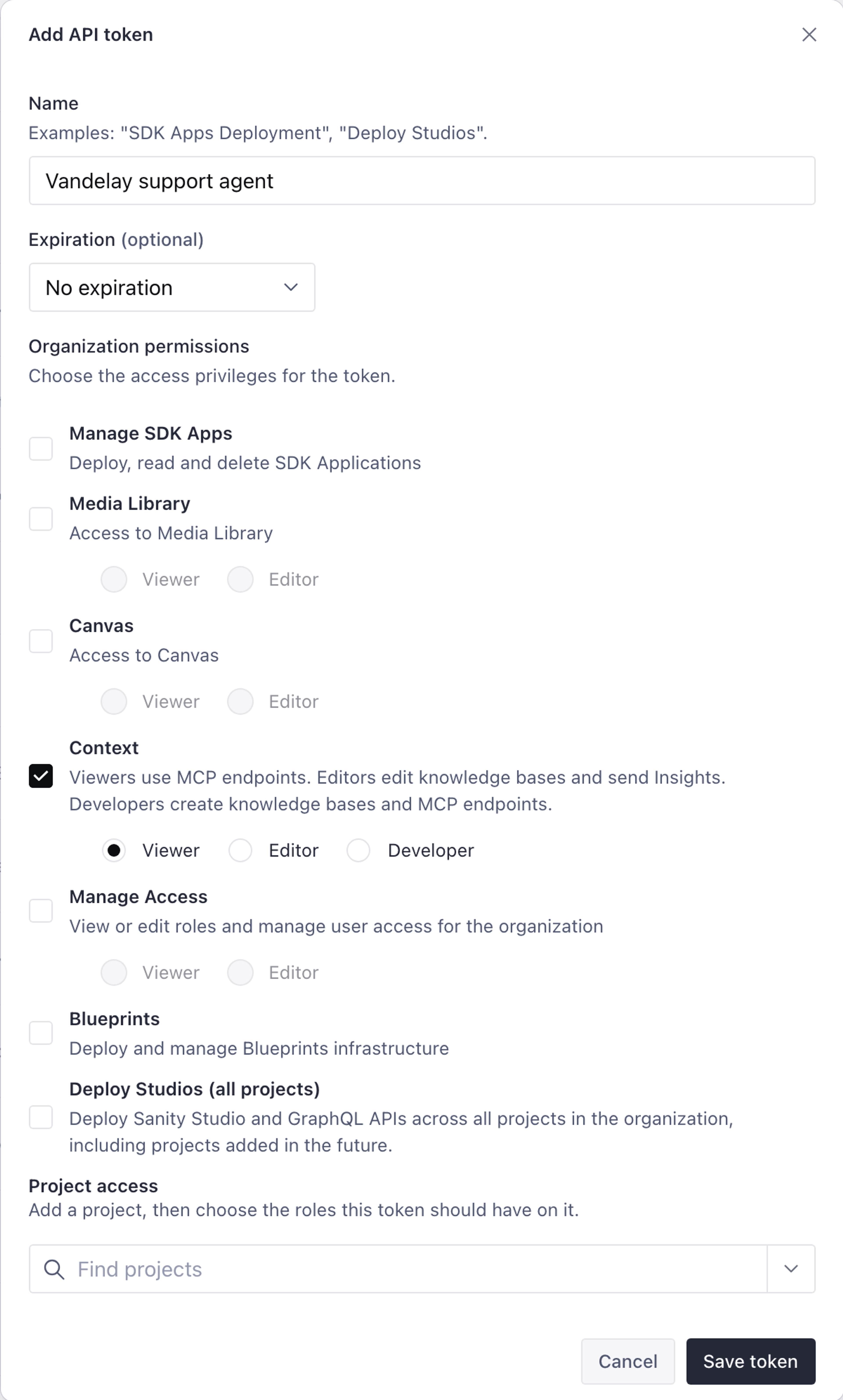
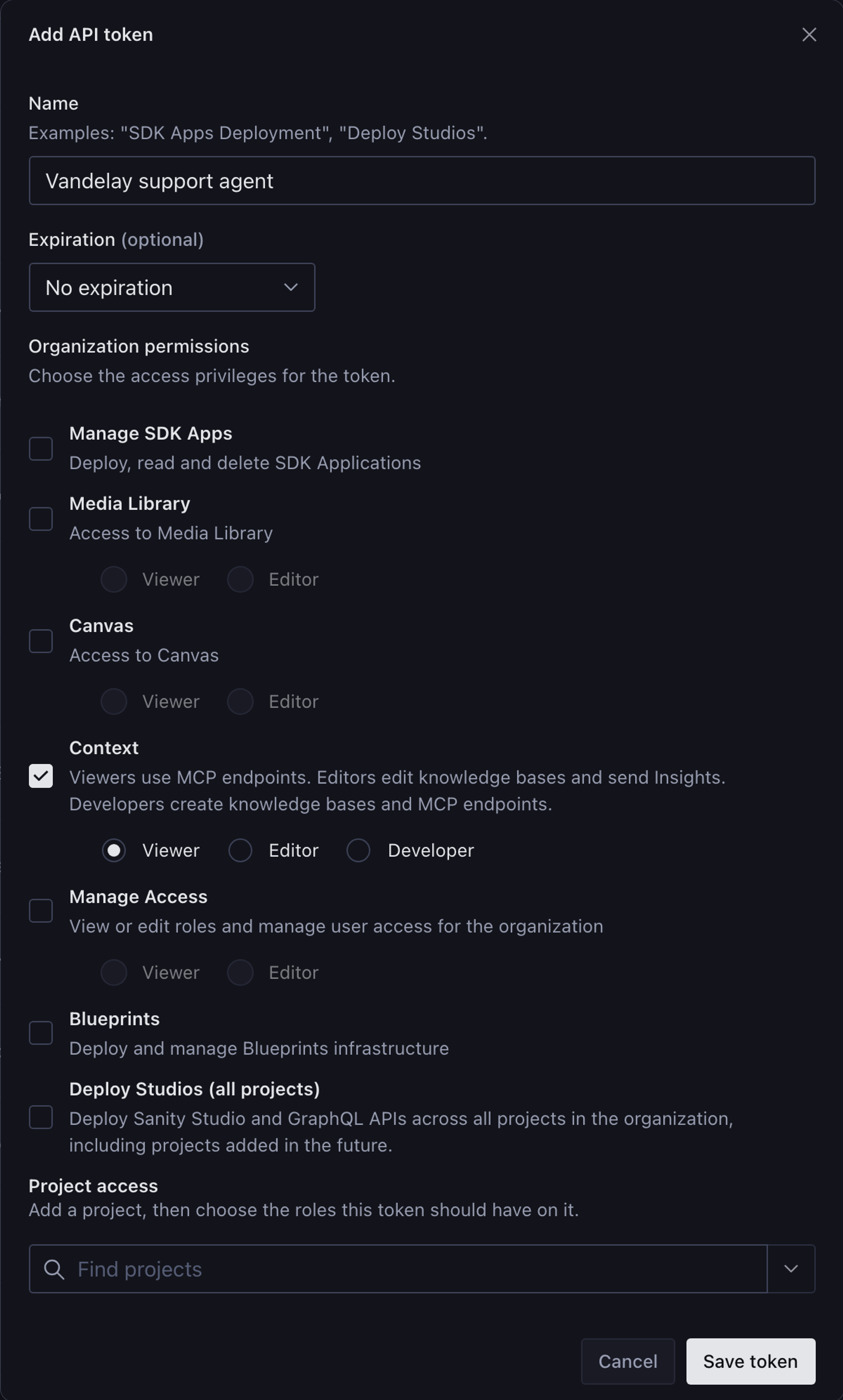
The endpoint only answers requests that carry an organization API token with Context Viewer permissions. In Manage, open your organization (not a project), go to API > Tokens, and create a token with Context Viewer permissions. Copy the token and keep it private.
A project API token doesn't work. The endpoint refuses it with a 403 error.
Set up a script
The script connects to your MCP endpoint, gives the endpoint's tools to a model, and prints the model's answer. It uses the Vercel AI SDK and its MCP client.
Create a folder for the script and install the packages:
mkdir context-quickstart
cd context-quickstart
npm init -y
# Treat .ts files as ES modules, so ask.ts can use import and top-level await
npm pkg set type=module
npm install ai@^7 @ai-sdk/mcp@^2 @ai-sdk/anthropic@^4
mkdir context-quickstart
cd context-quickstart
npm init -y
# Treat .ts files as ES modules, so ask.ts can use import and top-level await
npm pkg set type=module
pnpm add ai@^7 @ai-sdk/mcp@^2 @ai-sdk/anthropic@^4
mkdir context-quickstart
cd context-quickstart
npm init -y
# Treat .ts files as ES modules, so ask.ts can use import and top-level await
npm pkg set type=module
yarn add ai@^7 @ai-sdk/mcp@^2 @ai-sdk/anthropic@^4
mkdir context-quickstart
cd context-quickstart
npm init -y
# Treat .ts files as ES modules, so ask.ts can use import and top-level await
npm pkg set type=module
bun add ai@^7 @ai-sdk/mcp@^2 @ai-sdk/anthropic@^4
Install the three packages in one command, with the major versions shown. Use ai@^7 with @ai-sdk/mcp@^2, because the two share an internal provider package and mismatched majors produce type errors on tools.
Create a .env file. Replace the placeholders with the endpoint URL from Create an MCP endpoint, the token from Create an organization API token, and your Anthropic API key:
SANITY_CONTEXT_MCP_URL=YOUR_ENDPOINT_URL
SANITY_ORGANIZATION_TOKEN=YOUR_ORGANIZATION_TOKEN
ANTHROPIC_API_KEY=YOUR_ANTHROPIC_API_KEY
Keep .env out of version control. The organization token carries organization-level permissions.
Create ask.ts:
import {anthropic} from '@ai-sdk/anthropic'
import {createMCPClient} from '@ai-sdk/mcp'
import {generateText, stepCountIs} from 'ai'

const url = process.env.SANITY_CONTEXT_MCP_URL
const token = process.env.SANITY_ORGANIZATION_TOKEN
if (!url || !token) {
  throw new Error('Set SANITY_CONTEXT_MCP_URL and SANITY_ORGANIZATION_TOKEN in .env')
}

const question = process.argv[2] ?? 'What kinds of content does this dataset hold?'

// Connect to your MCP endpoint. The tools it returns read your schema and query your dataset with GROQ.
const mcpClient = await createMCPClient({
  transport: {
    type: 'http',
    url,
    headers: {Authorization: `Bearer ${token}`},
  },
})

try {
  const {text} = await generateText({
    model: anthropic('claude-sonnet-5-5'),
    instructions: 'Answer using only the Sanity tools. If the content does not answer the question, say so.',
    tools: await mcpClient.tools(),
    // Let the model call several tools (schema overview, GROQ queries) before it answers.
    stopWhen: stepCountIs(10),
    prompt: question,
  })
  console.log(text)
} finally {
  await mcpClient.close()
}
The model decides which tools to call. stopWhen: stepCountIs(10) gives it room to read the schema overview and run GROQ queries before it answers, instead of stopping after the first tool call.
Ask your content a question
Run the script with a question whose answer you already know from your content. Replace the example with a question about your own content. A question about field values, such as a price or a date, shows the agent querying your documents:
node --env-file=.env ask.ts "Which products under 50 dollars are in stock?"
The script prints the model's answer. Check it against the documents in your Studio rather than general knowledge. A question about specific values gives you something to check. "Tell me about my content" doesn't. Run the script without a question to ask what the dataset holds.
Against a dataset with three products, the script printed this answer. Your answer depends on your content and can vary between runs:
Only one product is both under $50 and in stock: the **Fjord Kettle**, at $49.

The other two products don't qualify:
- **Harbour Mug** costs $14 but is not in stock.
- **Ridge Grinder** is in stock but costs $89.

The content doesn't state a currency. I assumed the prices are in dollars.
If the script fails or the answer looks wrong:
MCP HTTP Transport Error: POSTing to endpoint (HTTP 401): the token is missing or invalid.- HTTP 403 with
Serving a dataset requires an organization API token with Context access: the token is a project token or lacks Context Viewer permissions. - HTTP 400 with
Only datasets with deployed Studio applications are supported: the dataset has no deployed Studio. See Deploy the Studio. - The script runs but the answer misses documents you know exist: check whether the endpoint's GROQ filter excludes them.
Connect an agent from the Context app
The Connect agent button next to the endpoint URL in the Context app gives you a streaming chat route and a setup prompt for coding agents. For more on connecting agents, see Configure a Context MCP endpoint and Connect Sanity Context with Vercel AI SDK.
Next steps
- Configure a Context MCP endpoint. Set up an endpoint by hand and scope what it serves.
- Context MCP source types. Decide between querying a dataset and building a Knowledge Base.
- Sanity Context patterns and best practices. Scoping, routing, and instructing agents once the basics work.
- Define Context with Blueprints. Manage Knowledge Bases and MCP endpoints as code and deploy them with your other infrastructure.