Workspaces
Learn about working with multiple workspaces within a single studio setup
Running more than one workspace is useful when different teams, datasets, or regions need their own tailored editing environment without maintaining separate studios. Sanity Studio can accommodate multiple workspaces, each with its own configuration. To set up a studio with more than one workspace, supply an array of configurations to defineConfig instead of a single config object.
Prerequisites
- A Sanity Studio project. If you're setting up a studio for the first time, see Configuration.
- Familiarity with studio configuration properties. For a complete list, see the Configuration API reference.
// Multiple workspace configuration
import {defineConfig} from 'sanity'
import {EarthAmericasIcon} from '@sanity/icons/EarthAmericas'
import {EarthGlobeIcon} from '@sanity/icons/EarthGlobe'
import {structureTool} from 'sanity/structure'
import {schemaTypes} from './schemas'

export default defineConfig([
  {
    projectId: 'YOUR_PROJECT_ID',
    dataset: 'YOUR_DATASET',
    name: 'us-workspace',
    basePath: '/us',
    title: 'USA',
    subtitle: 'All US content',
    icon: EarthAmericasIcon,
    plugins: [structureTool()],
    schema: {
      types: schemaTypes,
    },
  },
  {
    projectId: 'YOUR_PROJECT_ID',
    dataset: 'YOUR_DATASET',
    name: 'eu-workspace',
    basePath: '/eu',
    title: 'Europe',
    subtitle: 'All EU content',
    icon: EarthGlobeIcon,
    plugins: [structureTool()],
    schema: {
      types: schemaTypes,
    },
  },
])
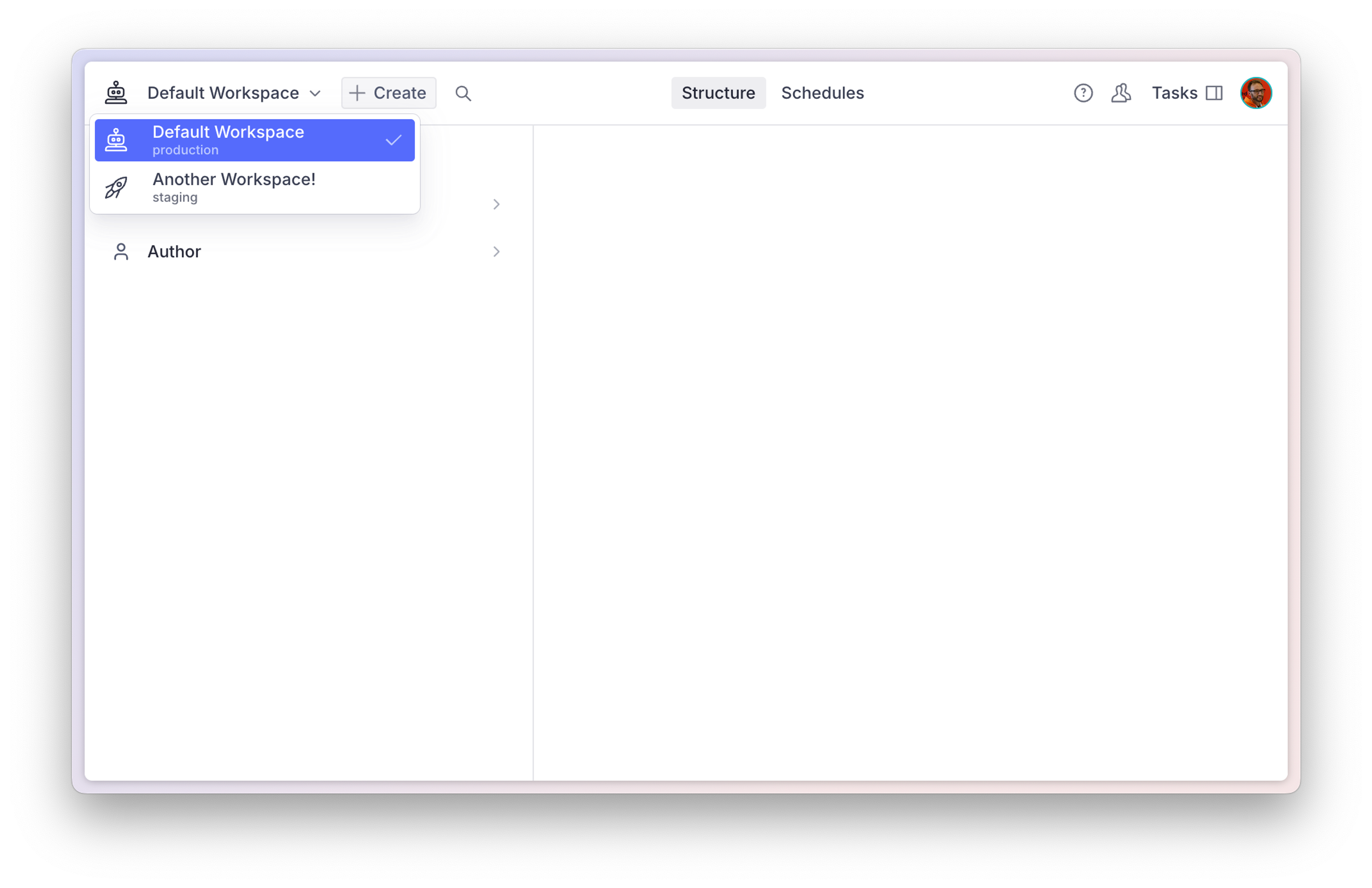
The Studio will pick up your new workspace and display a dropdown next to the Studio title in the navbar to let you quickly switch between workspaces.
Workspace configuration properties
Studio configurations and workspace configurations are the same thing. We refer to them as studio configs when there's only one configuration, and as workspace configs when there are multiple configurations.
In practice, all configuration properties are workspace configuration properties. There are a few properties that, while legal and valid also for single workspaces, don't have actual value outside the context of a multi-workspace setup. For more information, see the Configuration API reference.
Hiding workspaces
The hidden property on a workspace configuration controls whether that workspace is visible in the workspace menu and chooser. When hidden evaluates to true, the workspace is removed from the workspace menu and chooser, and direct URL navigation to it shows a not-found screen. The property accepts either a boolean or a callback that receives {currentUser}.
Gotcha
The hidden property controls client-side UI visibility only. It does not restrict data access. Always enforce access control server-side using Sanity's role-based access control.
import {defineConfig} from 'sanity'

export default defineConfig([
  {
    name: 'admin',
    title: 'Admin',
    projectId: 'YOUR_PROJECT_ID',
    dataset: 'production',
    basePath: '/admin',
    hidden: ({currentUser}) => {
      if (currentUser === null) return false
      return !currentUser.roles.some((role) => role.name === 'administrator')
    },
  },
  {
    name: 'editor',
    title: 'Editor',
    projectId: 'YOUR_PROJECT_ID',
    dataset: 'production',
    basePath: '/editor',
  },
])
When the user is not yet authenticated in a workspace, currentUser is null. Callbacks should handle this case explicitly, as shown above: returning true when currentUser is null hides the workspace from unauthenticated users and prevents them from signing in to it. Before auth state resolves, callback-hidden workspaces are treated as visible and the Studio shows a loading screen.